Building a Fully Procedural Asset Editor Inside Unreal Engine 5
When most developers hear “procedural generation,” they think of random terrain or dungeon systems running in runtime Blueprints. What we’ve built here is something entirely different: a self-contained procedural asset generator that lives natively inside Unreal Engine’s Editor.
It constructs geometry, materials, and metadata from scratch within a custom asset editor, entirely written in C++ using Unreal’s modern GeometryScript and Dynamic Mesh Framework.
The Philosophy: Procedural as a Creative Amplifier
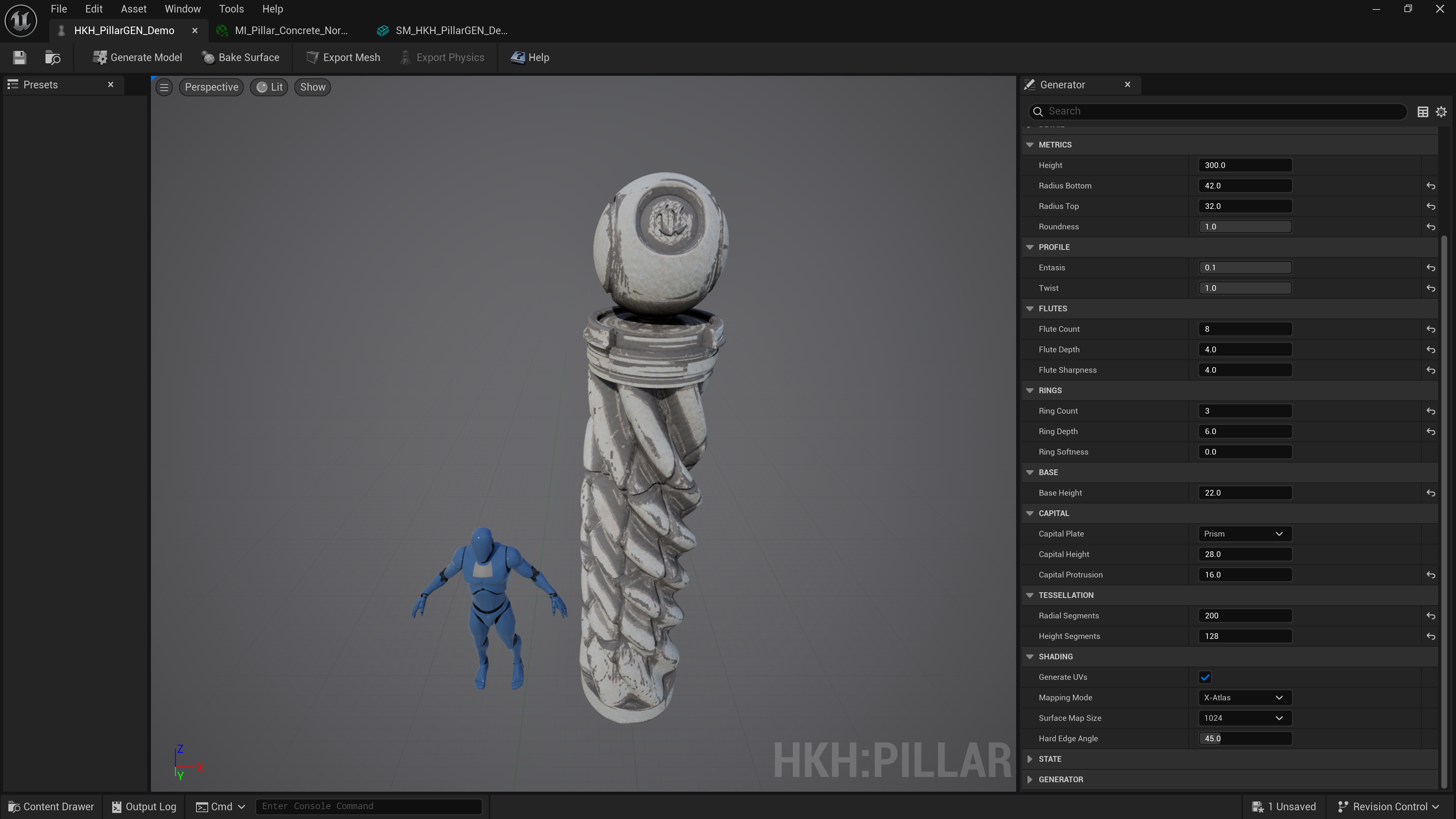
The HKH Pillar Generator was designed with one goal — to empower artists and designers to generate production-ready architectural assets in seconds, with complete control over geometry fidelity, tessellation, UVs, and material presets.
This tool isn’t just a parametric mesh spawner. It bakes surface maps, exports physics-ready collision meshes, generates Nanite-enabled static meshes, and wraps everything in a clean Editor UI for iteration and export.
Everything is procedural, but the results are handcrafted-quality.
The Challenge: Building a Native Generator in the Unreal Editor
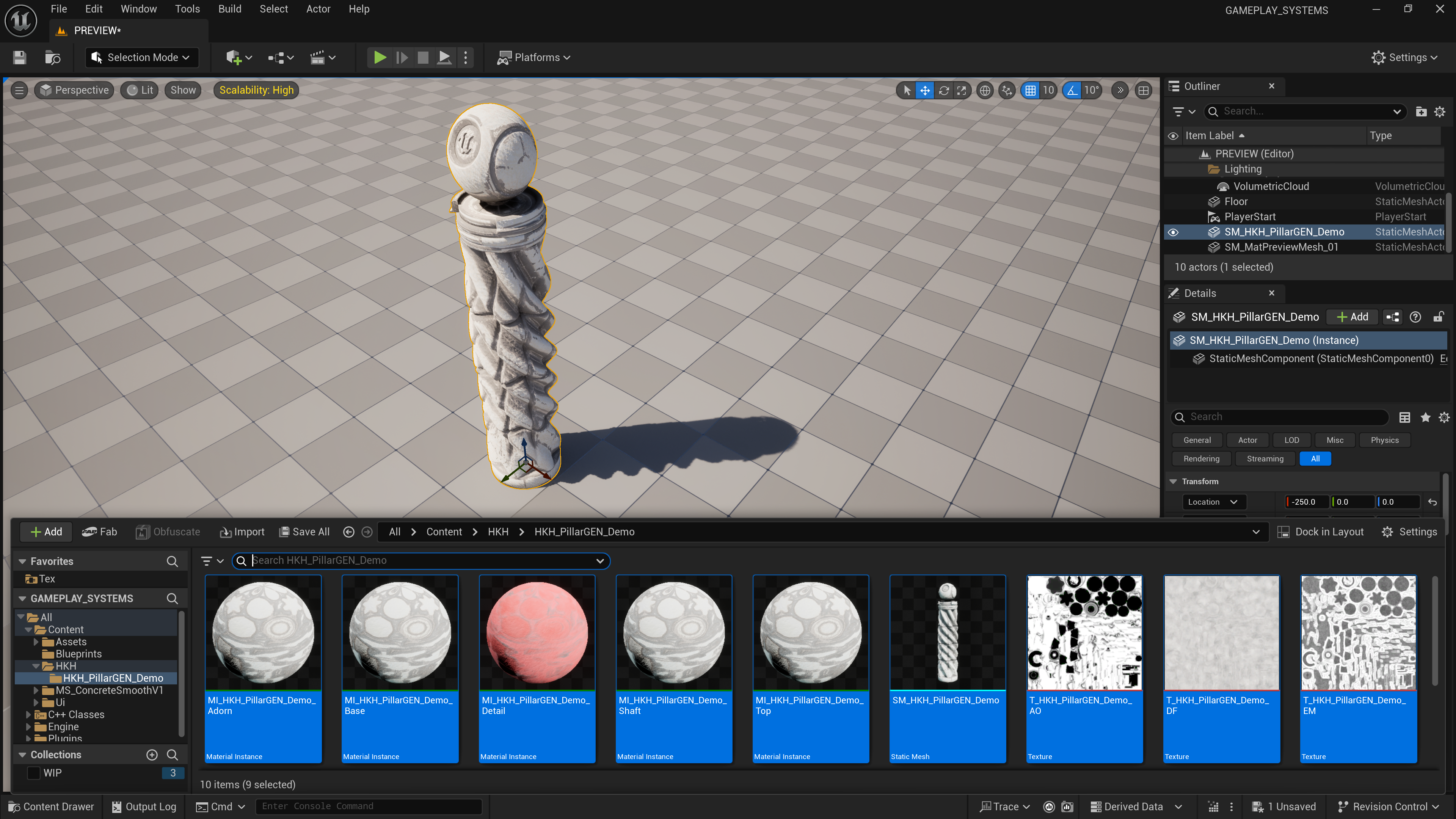
Creating an Editor-integrated generator meant avoiding the common “Editor Utility Widget” approach that hobbyist projects rely on. Those are fine for quick scripts — but this project demanded native speed, type safety, and data persistence.
We implemented a dedicated SHKHPillarGenEditor toolkit, a custom Editor Mode with Slate widgets, parameter reflection, and viewport previews. Every tweak to height, radius, flute count, or twist dynamically rebuilds the mesh in memory through the UDynamicMesh API, streaming data directly to the viewport renderer.
This level of integration required working intimately with:
GeometryScriptMesh Generation LibrariesFDynamicMesh3,FDynamicMeshNormals, andFDynamicMeshTangents- Custom
FSlateUI bindings for real-time parameter updates - Procedural material instance creation via
UMaterialInstanceDynamic
These aren’t exposed to Blueprint. You need deep C++ access and understanding of Unreal’s geometry core to make them perform efficiently.
The Math Behind the Columns

The procedural geometry pipeline is built on a mathematical foundation rather than relying on canned assets.
Each pillar is defined by canonical structs such as:
struct FHKHPillarParams {
    float Height;
    float RadiusBottom;
    float RadiusTop;
    float Roundness;
    float Entasis;      // taper curvature
    float Twist;        // spiral deformation
    int32 FluteCount;
    float FluteDepth;
    float FluteSharpness;
    int32 RingCount;
    float RingDepth;
    float RingSoftness;
    ...
};
The entasis and twist parameters are computed through trigonometric deformation of vertex positions along the Z-axis:
float Z = Vertex.Z / Height;
float R = FMath::Lerp(RadiusBottom, RadiusTop, Z + FMath::Pow(Z, Entasis));
Vertex.X = R * FMath::Cos(Angle + Twist * Z);
Vertex.Y = R * FMath::Sin(Angle + Twist * Z);
The result: mathematically correct, curvature-accurate columns that rival real architectural references — not noisy displacement maps or Boolean junk.
Self-Contained Export Pipeline
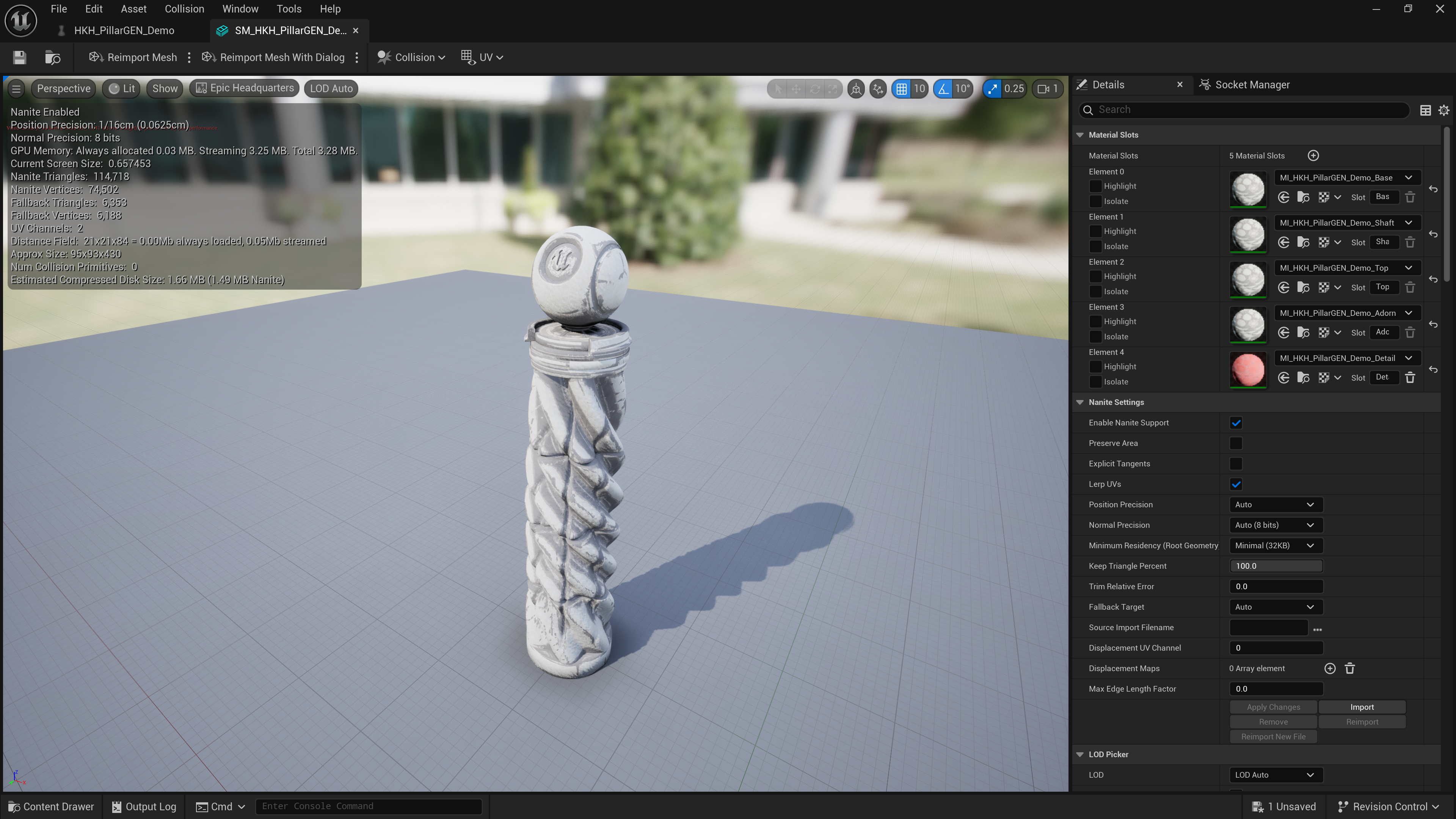
Every generated pillar can be baked directly into a StaticMesh asset, with collision, LODs, and UVs generated at build time.
The workflow supports:
- Nanite mesh conversion
- UV parameterization via XAtlas / Automatic unwrap
- Physics-ready low-poly mesh generation
- Material slot creation & auto-binding
From a code standpoint, it leverages the UGeometryScriptLibrary_MeshAssetFunctions to write UDynamicMesh contents to disk, automatically assigning material slots based on procedural segmentation (Base, Shaft, Top, Adorn, Detail).
The Result
The HKH Pillar Generator delivers procedural geometry that looks sculpted — yet every vertex was computed mathematically.
What began as a personal R&D experiment evolved into a full-featured Unreal plugin demonstrating how far GeometryScript and DynamicMesh can be pushed.
 Bruno Xavier